Expense management for fast-growing technology companies
Shared inboxes and spreadsheets break as you hire. Barespend gives a growing team an expense process that runs itself.
Free for 7 days. No credit card required. Works with QuickBooks Online, Xero and Sage Intacct.
Set up the whole team at once
Import employees from a CSV file and they can start texting receipts. There’s no app to roll out and nothing to train.
See every way to send a receiptEvery card in one feed
Connect the cards and bank accounts you already use. Transactions arrive as they post, pending charges included, and payments to the card itself are kept out of your expenses.
More on cards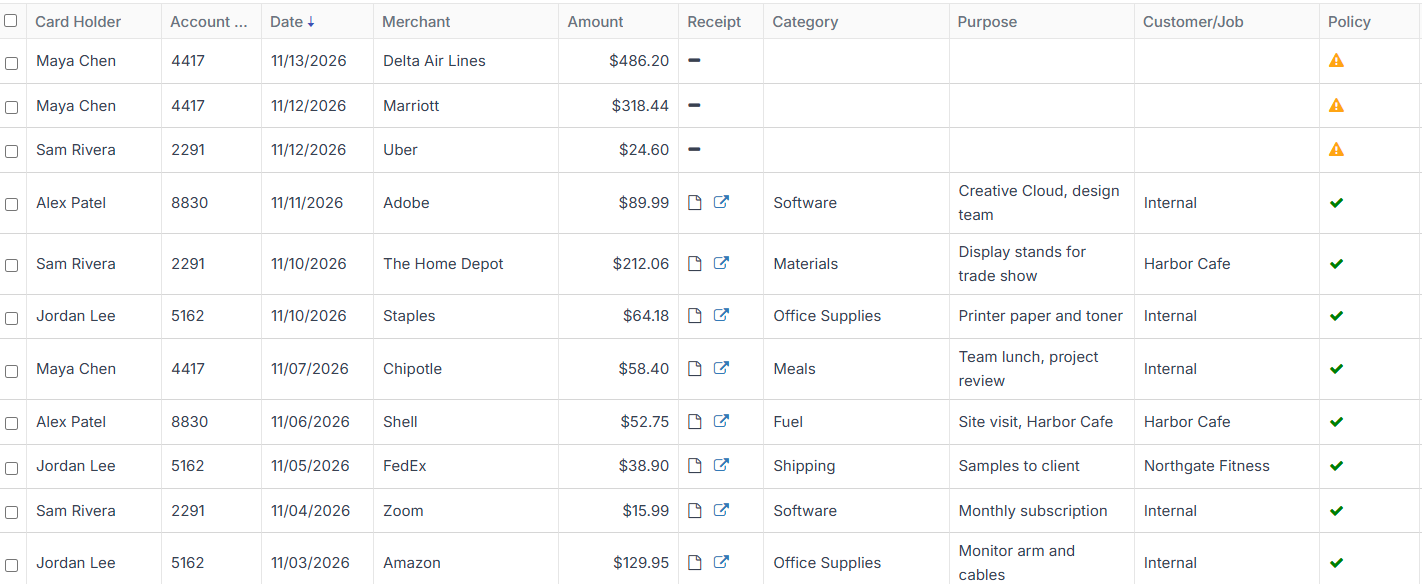
Software receipts, matched for you
Forward subscription receipts by email and Barespend pairs each one with its charge, whichever arrives first.
More on receipts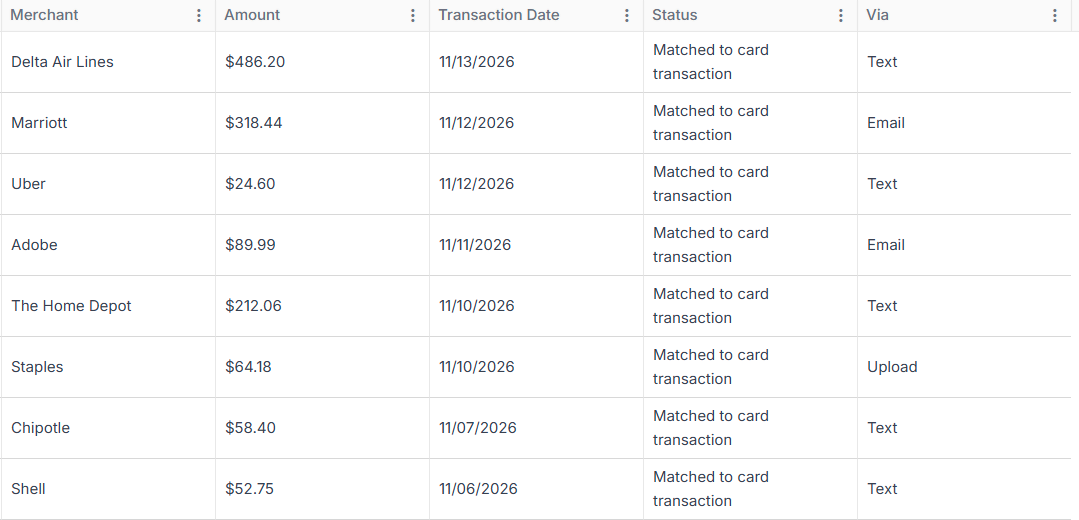
See spend by department as you scale
Break spend down by department, person or merchant, see each one’s trend, and export it to Excel for your board deck.
More on reporting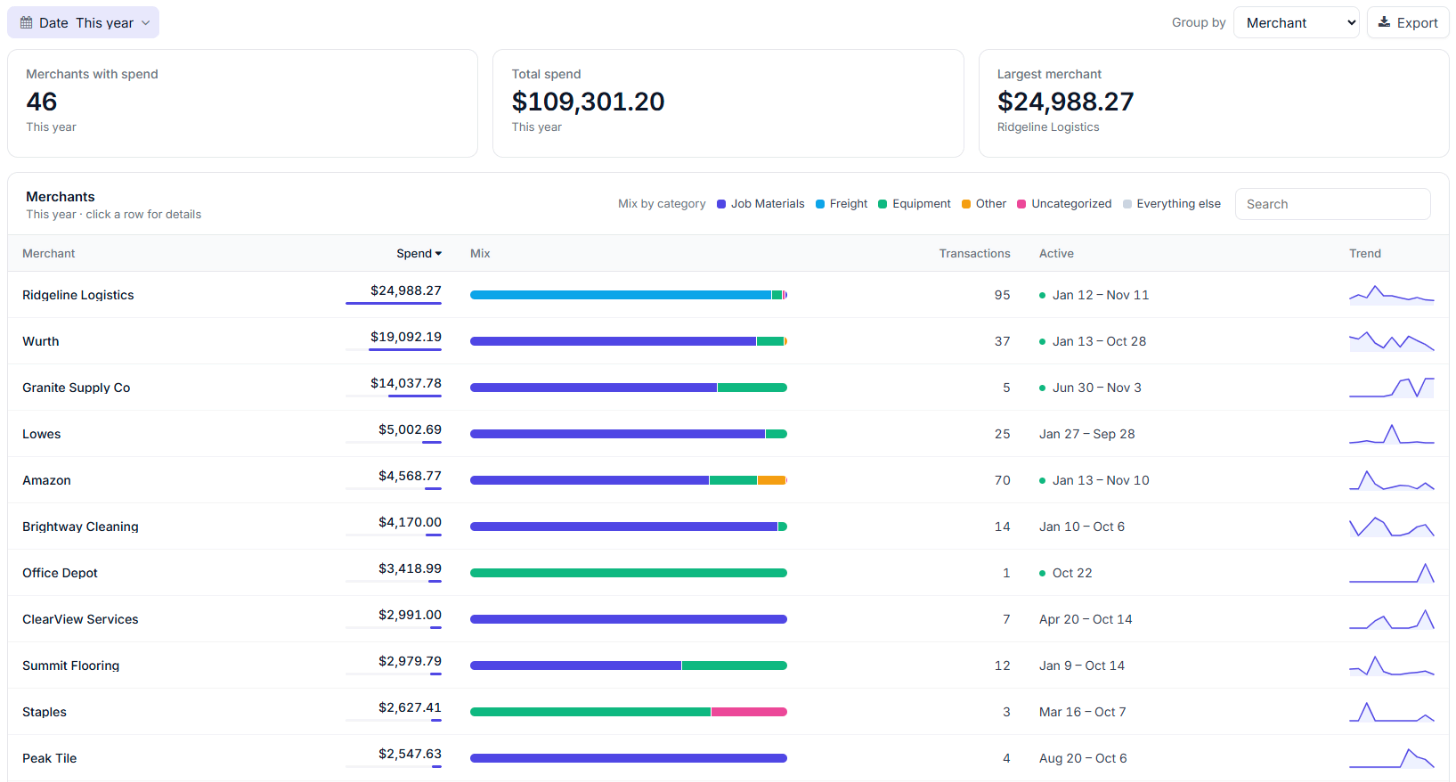
An expense process that scales with your headcount
Sync expenses with your accounting system
Your accounts and coding come in, and approved expenses go out with the receipt attached.
“Our previous expense management software was archaic and lacked the tools we needed to get receipts in and reconciled to our books in a timely manner. We couldn’t find a solution that met our requirements until Barespend. Simple, intuitive, and easy to use for the entire company. Our biggest pain points solved!”

Room to grow
ApprovalsPro
Each claim goes to the employee’s manager to approve or send back with a comment.
Sage Intacct syncPro
Sync with Sage Intacct, including its dimensions, when you outgrow QuickBooks.
Multiple entitiesAdvanced
Run more than one company as you expand.
Talk to the people who build it
Every plan includes fast, responsive support from the Barespend team, with no add-on fee for talking to a person. Your feedback goes to the people building the product, not into a ticket queue.
Your expense data, kept safe
- Encrypted in transit. Everything between your browser and Barespend travels over TLS 1.2 or higher.
- Encrypted at rest. Data sits in Azure SQL Database and receipts in Azure Blob Storage, both encrypted at rest.
- Role-based access. Owners, admins, managers, bookkeepers and employees each see only what their role allows.
- Penetration tested. An outside firm has tested the platform. Ask us for a copy of the report.
Technology: common questions
How quickly can we add our team?
Import employees from a CSV file. Once they’re added, they can text or email receipts straight away, with nothing to install.
How do software subscription receipts get in?
Forward the receipt email to your Barespend address. Barespend reads it and matches it to the card charge, whichever arrives first.
What happens when we move off QuickBooks?
Barespend syncs with QuickBooks Online and Xero on every plan and with Sage Intacct on Pro, so you can keep the same expense process when you change accounting systems.